Publish Your App to ChatGPT
Follow these steps to integrate your app with ChatGPT using MCP (Model Context Protocol)
Get Your MCP Server URL
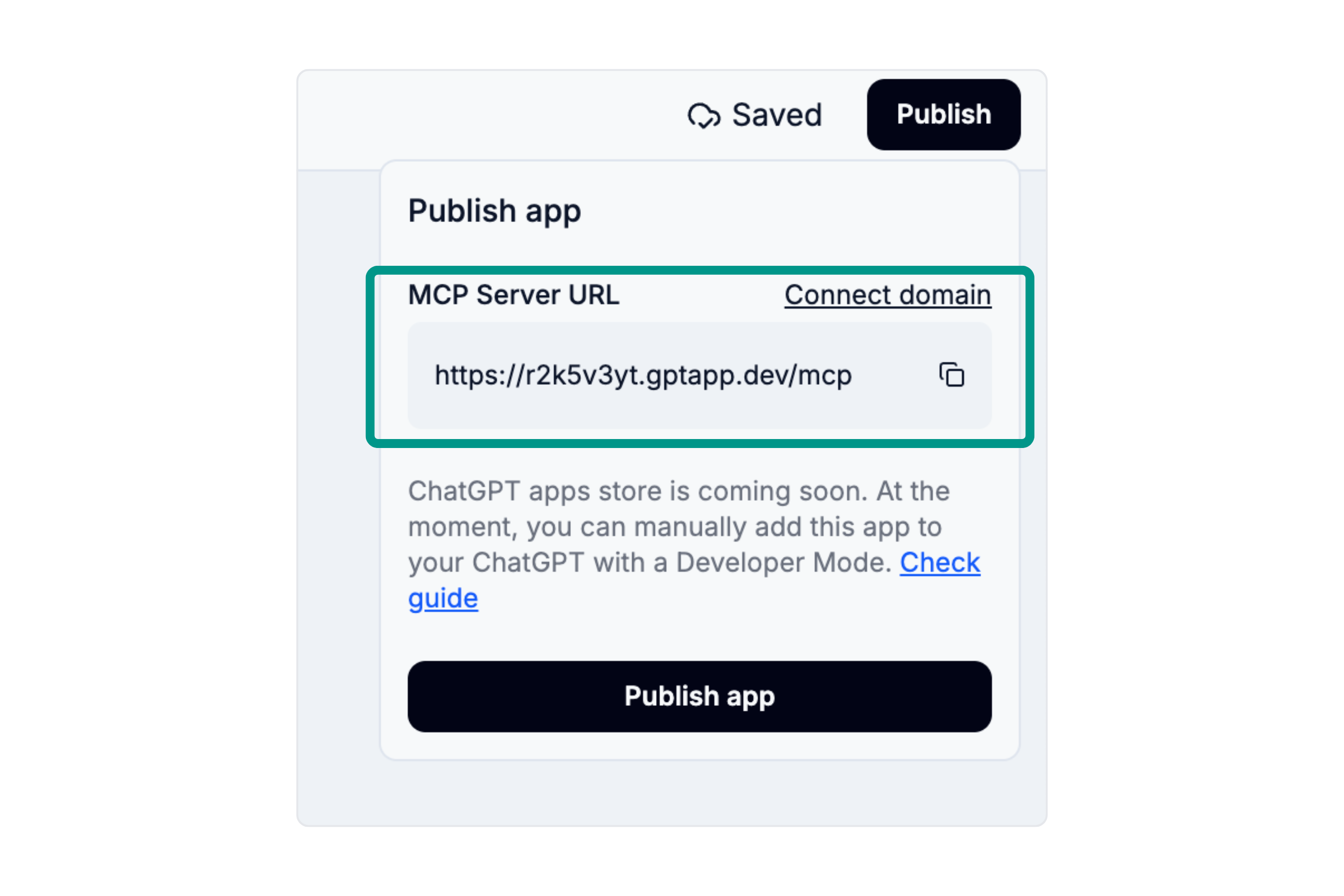
Click the publish button in your app editor and copy the MCP server URL. You'll need this URL to connect your app to ChatGPT.
Open ChatGPT Settings
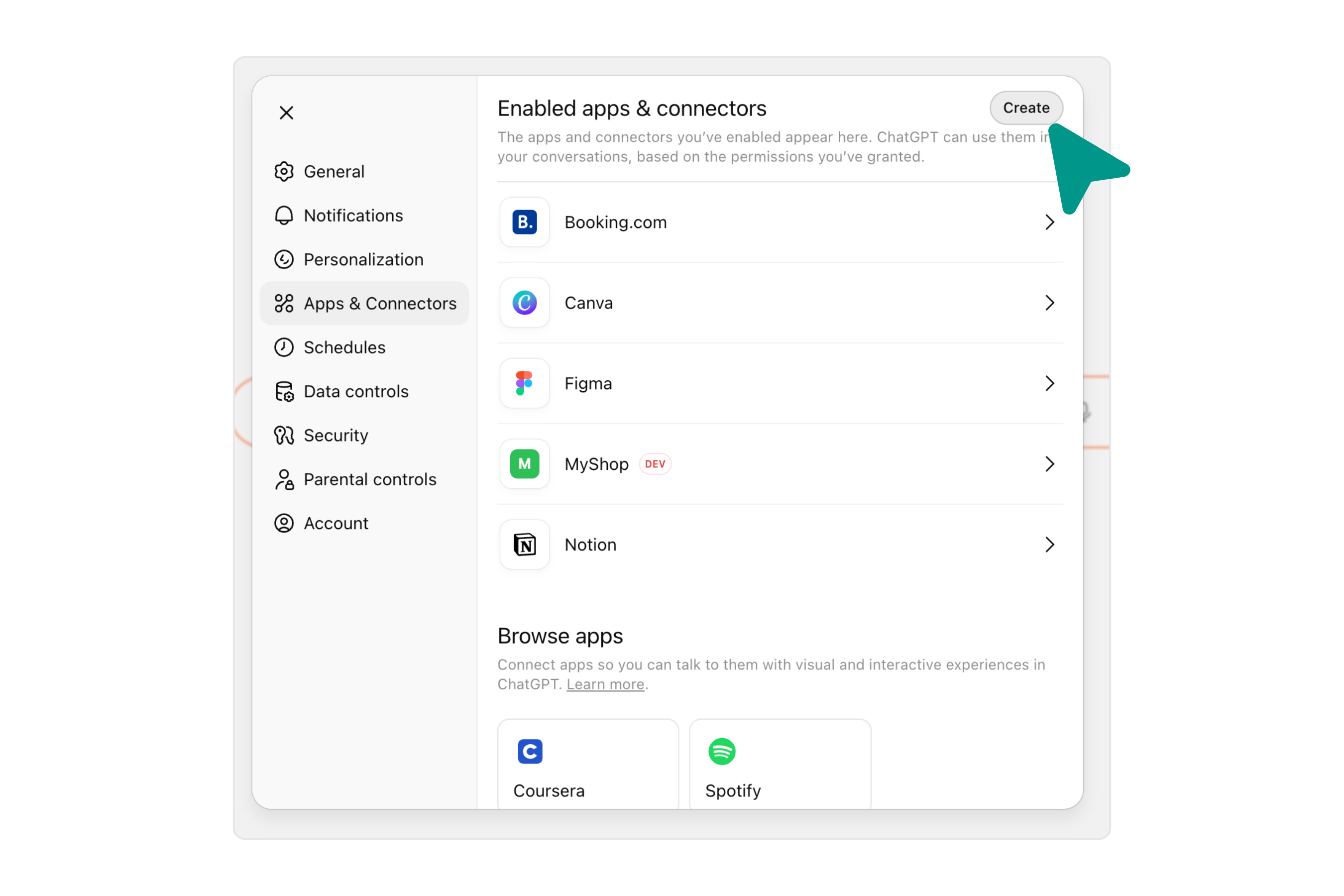
Navigate to ChatGPT settings and go to the Apps & Connectors section. At the moment, ChatGPT app submission is not publicly available yet. You can manually add your app to ChatGPT using Developer Mode.
Open ChatGPT Settings →
Enable Developer Mode
Scroll down to the Advanced settings section and toggle on Developer Mode. This will allow you to manually add custom apps to ChatGPT.

Create a New App
Click on the button to create a new app in the Apps & Connectors section. This will open a form where you can add your custom app.
Connect Your App
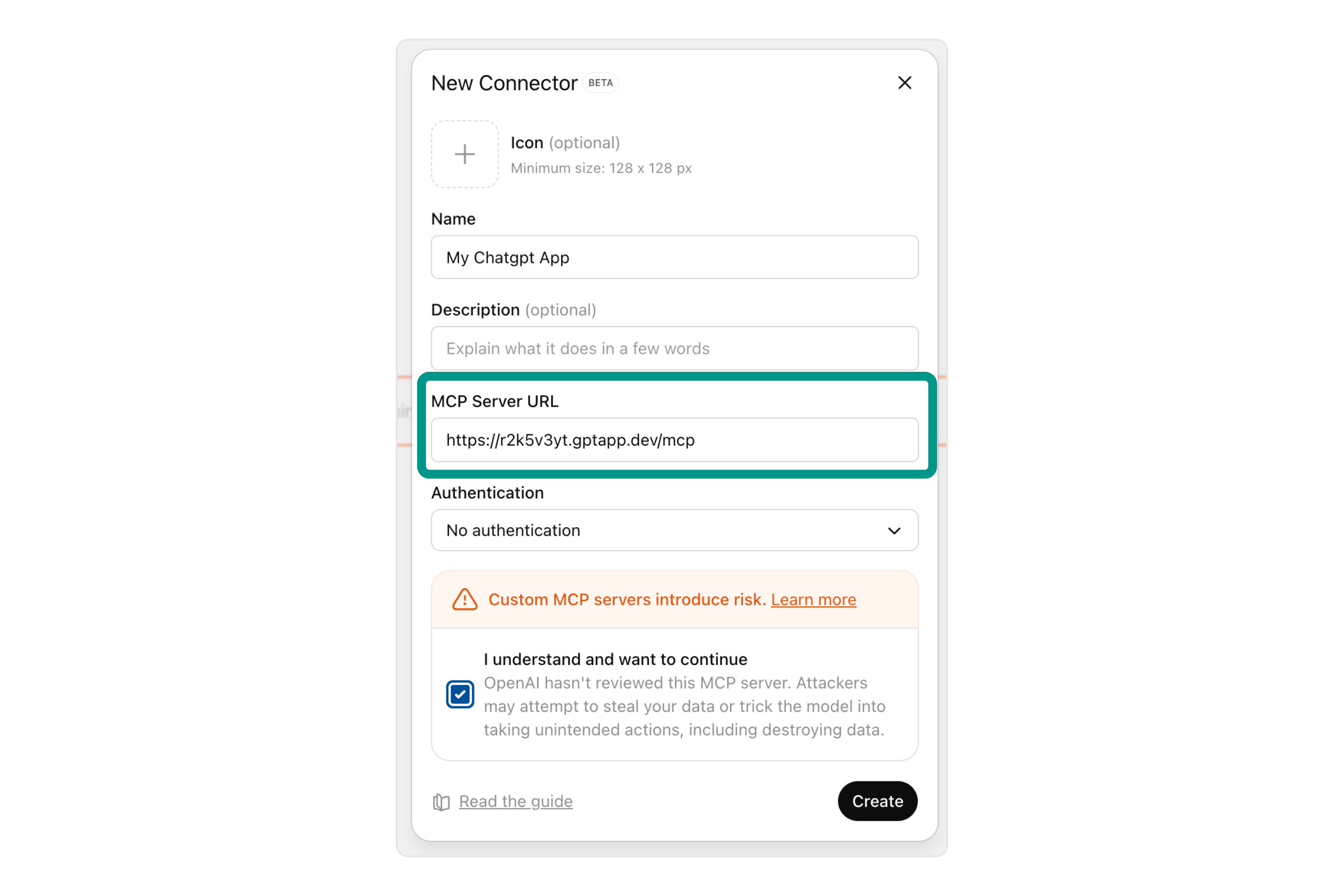
Paste the MCP server URL you copied in Step 1 into the form and save it. Your app is now connected to ChatGPT and ready to use!